<?xml version="1.0" encoding="utf-8"?><?xml-stylesheet type="text/xsl" href="atom.xsl"?>
<feed xmlns="http://www.w3.org/2005/Atom">
    <id>https://dotmarc.app/releases-updates/</id>
    <title>dotMARC Blog</title>
    <updated>2026-09-25T13:27:00.000Z</updated>
    <generator>https://github.com/jpmonette/feed</generator>
    <link rel="alternate" href="https://dotmarc.app/releases-updates/"/>
    <subtitle>dotMARC Blog</subtitle>
    <icon>https://dotmarc.app/img/favicon.svg</icon>
    <entry>
        <title type="html"><![CDATA[dotMARC v0.7.1: a tidier interface and a few fixes]]></title>
        <id>https://dotmarc.app/releases-updates/v0-7-1/</id>
        <link href="https://dotmarc.app/releases-updates/v0-7-1/"/>
        <updated>2026-09-25T13:27:00.000Z</updated>
        <summary type="html"><![CDATA[The first patch release. Buttons and icons line up properly, the Dashboard summary is easier to read, the rejected-mail reasons are a list, and a noisy query warning on Manage domains is gone.]]></summary>
        <content type="html"><![CDATA[<p>A small release after <a class="" href="https://dotmarc.app/releases-updates/v0-7-0/"><code>v0.7.0</code></a>, mostly about how things look and one warning that
shouldn't have been there.</p>
<!-- -->
<h2 class="anchor anchorTargetStickyNavbar_Vzrq" id="a-tidier-interface">A tidier interface<a href="https://dotmarc.app/releases-updates/v0-7-1/#a-tidier-interface" class="hash-link" aria-label="Direct link to A tidier interface" title="Direct link to A tidier interface" translate="no">​</a></h2>
<ul>
<li class=""><strong>Buttons beside inputs now match them.</strong> The Clear cached sign-in and Generate new secret buttons, and the
Add group, Add tag, Add domain and Add role buttons, are the same height as the field next to them and line
up with it. Those Add forms, and the Grant access form, now use the same outlined inputs as the rest of the
app.</li>
<li class=""><strong>Icons are centred on their text.</strong> Capital letters sit above the middle of a line, so icons on buttons
looked about a pixel low. They are now centred on the lettering.</li>
<li class=""><strong>Real actions look like buttons.</strong> Clear cached sign-in, Ticket rules, the DNS push buttons, Configure
selectors and the MTA-STS Save were plain text links. They are outlined buttons now.</li>
<li class=""><strong>Dashboard summary.</strong> The numbers are larger and centred above their captions.</li>
<li class=""><strong>Why rejects and quarantines happened</strong> is a bulleted list, with the count first and reasons that have no
messages dimmed, on both the Dashboard and each domain's page.</li>
<li class=""><strong>The filter button applies to the whole table.</strong> It sat inside the DNS Status heading, so it looked like it
only filtered that column group. It is now a labelled <strong>Filters</strong> button above the Dashboard and Manage
domains tables.</li>
</ul>
<h2 class="anchor anchorTargetStickyNavbar_Vzrq" id="fixes">Fixes<a href="https://dotmarc.app/releases-updates/v0-7-1/#fixes" class="hash-link" aria-label="Direct link to Fixes" title="Direct link to Fixes" translate="no">​</a></h2>
<ul>
<li class=""><strong>Manage domains no longer logs a warning every time it loads.</strong> The page loaded each domain's groups and
tags in one large query, which Entity Framework warns about. They are loaded separately now, and the warning
under <strong>Manage &gt; Server logs</strong> stops.</li>
<li class=""><strong>Ticket rules are sturdier.</strong> The badge count on Manage groups no longer risks ending your session if the
database hiccups as the dialog closes, the <strong>Which alerts create tickets</strong> panel follows the ticket sync
setting you have saved rather than the switch you have just flipped, and each switch is announced by screen
readers with its alert type.</li>
<li class=""><strong>A missing alert type entry can't stop monitoring.</strong> If a future alert type were added without being listed
for ticket rules, it is now logged as an error and the alert is still raised, instead of halting the whole
monitor cycle.</li>
</ul>
<h2 class="anchor anchorTargetStickyNavbar_Vzrq" id="releases-and-updates">Releases and Updates<a href="https://dotmarc.app/releases-updates/v0-7-1/#releases-and-updates" class="hash-link" aria-label="Direct link to Releases and Updates" title="Direct link to Releases and Updates" translate="no">​</a></h2>
<p>The blog is now called <strong>Releases and Updates</strong>, at <code>/releases-updates</code>. Every old <code>/blog</code> link, including
the RSS and Atom feeds, redirects to its new address, so existing links and subscriptions keep working.</p>
<h2 class="anchor anchorTargetStickyNavbar_Vzrq" id="docs-and-website">Docs and website<a href="https://dotmarc.app/releases-updates/v0-7-1/#docs-and-website" class="hash-link" aria-label="Direct link to Docs and website" title="Direct link to Docs and website" translate="no">​</a></h2>
<ul>
<li class=""><strong>Update or redeploy dotMARC.</strong> The <a class="" href="https://dotmarc.app/docs/deploy-with-docker/">Docker</a> and <a class="" href="https://dotmarc.app/docs/deploy-to-azure/">Azure</a>
guides now cover checking which image is running, updating to a release tag, forcing a new revision when you
use <code>:latest</code>, checking the app is ready, and rolling back.</li>
<li class=""><strong>The website follows the latest release.</strong> The homepage shows the latest release, and the example image
tag in the docs updates itself, so neither needs editing when a release ships.</li>
</ul>
<h2 class="anchor anchorTargetStickyNavbar_Vzrq" id="upgrading">Upgrading<a href="https://dotmarc.app/releases-updates/v0-7-1/#upgrading" class="hash-link" aria-label="Direct link to Upgrading" title="Direct link to Upgrading" translate="no">​</a></h2>
<p>There are no database migrations and no new settings. Redeploy and you're done.</p>
<h2 class="anchor anchorTargetStickyNavbar_Vzrq" id="everything-else">Everything else<a href="https://dotmarc.app/releases-updates/v0-7-1/#everything-else" class="hash-link" aria-label="Direct link to Everything else" title="Direct link to Everything else" translate="no">​</a></h2>
<p>As always, see the <a href="https://github.com/homotechsual/dotMARC/commits/v0.7.1" target="_blank" rel="noopener noreferrer" class="">full changelog</a> for everything
that shipped between these two tags.</p>]]></content>
        <author>
            <name>Mikey O'Toole</name>
            <uri>https://homotechsual.dev</uri>
        </author>
        <category label="Release" term="Release"/>
    </entry>
    <entry>
        <title type="html"><![CDATA[dotMARC v0.7.0: HaloPSA that works, no more dropped reports, and failure reasons explained]]></title>
        <id>https://dotmarc.app/releases-updates/v0-7-0/</id>
        <link href="https://dotmarc.app/releases-updates/v0-7-0/"/>
        <updated>2026-09-25T10:54:00.000Z</updated>
        <summary type="html"><![CDATA[HaloPSA sign-in and priorities are fixed, with a one-click test of the whole ticket lifecycle and control over which alerts create tickets, per client. DMARC reports with unusual values are now read, failure reasons are inferred when a receiver gives none, and there are server logs in the app and faster pages.]]></summary>
        <content type="html"><![CDATA[<p>Since <a class="" href="https://dotmarc.app/releases-updates/v0-6-0/"><code>v0.6.0</code></a>, this release has mostly been about trust: fixing things that were
quietly not working, and giving you ways to see for yourself that they do.</p>
<!-- -->
<h2 class="anchor anchorTargetStickyNavbar_Vzrq" id="halopsa-now-works-and-you-can-prove-it">HaloPSA now works, and you can prove it<a href="https://dotmarc.app/releases-updates/v0-7-0/#halopsa-now-works-and-you-can-prove-it" class="hash-link" aria-label="Direct link to HaloPSA now works, and you can prove it" title="Direct link to HaloPSA now works, and you can prove it" translate="no">​</a></h2>
<p>The HaloPSA integration could not actually sign in: dotMARC asked Halo for a scope that doesn't exist,
so every attempt was rejected. Once past that, the priority list failed to load too, because Halo
returns one row per priority per SLA rather than a plain list. Both are fixed, and errors now quote what
Halo actually answered instead of a vague "couldn't reach".</p>
<p>More usefully, <strong>Alert settings</strong> now has a <strong>Test the integration</strong> button. It creates a clearly marked
test ticket from your most recent alert's details, closes it using your closed status, then waits for Halo
to call the webhook back, showing each step as it goes. When something is wrong, the message says what to
check: a status that doesn't match your closed status, a body dotMARC couldn't read, or a webhook URL with
the wrong secret. A list of recent webhook calls shows what Halo has really sent, and the webhook URL now
copies with a click. The webhook reads the ticket and its status from whichever payload Halo is set to
send, and asks Halo for the status when the payload only names the ticket. When it can't find the ticket
at all, the list shows the field names Halo sent, never their values. See <a class="" href="https://dotmarc.app/docs/psa-integration/#test-the-whole-integration">PSA integration</a> for the
walkthrough.</p>
<p>Halo can also be configured (and commonly is) to refuse to close a ticket that nobody is assigned to, so there is a new <strong>Assign new tickets
to</strong> setting. Pick an agent, or leave it on <strong>Don't assign</strong> if your Halo assigns tickets itself (round
robin, a rule or the ticket type's default).</p>
<p>What dotMARC can do in Halo is decided by the agent the API application signs in as, and Halo has no
scopes for that, so the PSA docs now list a tested set of role permissions for it and what each missing
one looks like. Halo may bake a role's permissions into the sign-in token dotMARC keeps for about an
hour, so there is a <strong>Clear cached sign-in</strong> button, and saving the PSA settings clears it too. The
PSA settings are also tidier: grouped into Connection, Ticket defaults and Webhook, and your chosen
ticket type, priority, closed status and agent now show by name instead of a number.</p>
<p>If you set up Halo on an earlier version, it most likely never worked. After upgrading, load the options
again, pick your priority, closed status and, if you want one, an agent, save, and run the test.</p>
<h2 class="anchor anchorTargetStickyNavbar_Vzrq" id="choose-which-alerts-create-tickets">Choose which alerts create tickets<a href="https://dotmarc.app/releases-updates/v0-7-0/#choose-which-alerts-create-tickets" class="hash-link" aria-label="Direct link to Choose which alerts create tickets" title="Direct link to Choose which alerts create tickets" translate="no">​</a></h2>
<p>Every alert used to open a HaloPSA ticket. Now <strong>Alert settings</strong> has a <strong>Which alerts create tickets</strong>
panel with a switch for each alert type, and a group can override it for its own client: on <strong>Manage
groups</strong>, a group with a Halo client has a <strong>Ticket rules</strong> button where each alert type can follow the
default, always create tickets, or never create them. A group with overrides shows a badge such as
"2 overrides".</p>
<p>A rule only decides whether a ticket is created. The alert is still recorded, any Teams or webhook
notification still goes out, and an existing ticket still closes when its alert resolves. If a domain
belongs to several groups, the rules of the group its ticket goes to apply, and a domain with its own Halo
client uses the global settings. Nothing changes until you edit a rule: every alert type creates tickets
by default. See <a class="" href="https://dotmarc.app/docs/psa-integration/#choose-which-alerts-create-tickets">Choose which alerts create tickets</a>.</p>
<h2 class="anchor anchorTargetStickyNavbar_Vzrq" id="reports-that-were-being-dropped-are-now-read">Reports that were being dropped are now read<a href="https://dotmarc.app/releases-updates/v0-7-0/#reports-that-were-being-dropped-are-now-read" class="hash-link" aria-label="Direct link to Reports that were being dropped are now read" title="Direct link to Reports that were being dropped are now read" translate="no">​</a></h2>
<p>Some receivers write values like <code>Fail</code> (capitalised) or <code>no policy</code> where the DMARC schema expects
lowercase, and dotMARC's report library rejected those reports outright. They were left unread in the
mailbox and retried on every poll, which meant missing data and around 158,000 warnings since the first
release. They are now read, while genuinely unknown values are still rejected.</p>
<p>Expect a backlog of previously stuck reports to appear on the first poll after upgrading, which can move
your dashboard numbers and resolve missed-report alerts. One known limitation remains: a report that uses
the <code>sampled_out</code> override reason still can't be read, because of a bug in the report library.</p>
<h2 class="anchor anchorTargetStickyNavbar_Vzrq" id="why-was-this-rejected-when-the-receiver-wont-say">Why was this rejected, when the receiver won't say?<a href="https://dotmarc.app/releases-updates/v0-7-0/#why-was-this-rejected-when-the-receiver-wont-say" class="hash-link" aria-label="Direct link to Why was this rejected, when the receiver won't say?" title="Direct link to Why was this rejected, when the receiver won't say?" translate="no">​</a></h2>
<p>Many receivers send a rejected or quarantined source with no reason at all. dotMARC now works out a
plain-English explanation from the SPF and DKIM results in the report, such as no DKIM signature, or SPF
passing for a different domain than the From: address, and marks it <strong>Inferred</strong> so it is never mistaken
for a reason the receiver reported. The reason-breakdown charts split these into SPF-only, DKIM-only and
both.</p>
<p>The Sources tab also shows when each source was first seen (with a <strong>New</strong> badge for recent ones) and a
7-day volume sparkline, names well-known email services such as SendGrid and Mailgun in its
recommendations, and the suspicious reject activity alert now breaks down which mechanism failed.</p>
<h2 class="anchor anchorTargetStickyNavbar_Vzrq" id="see-what-the-server-is-doing">See what the server is doing<a href="https://dotmarc.app/releases-updates/v0-7-0/#see-what-the-server-is-doing" class="hash-link" aria-label="Direct link to See what the server is doing" title="Direct link to See what the server is doing" translate="no">​</a></h2>
<p>Diagnosing a failed integration used to need access to the host's logs. <strong>Manage &gt; Server logs</strong> now shows
the most recent warnings, errors and dotMARC's own messages, newest first, with level and text filters,
auto-refresh and a copy button. Secrets in URLs and tokens are redacted, and access is its own
<code>LogsView</code> permission, part of the Admin role. Entries live in memory and reset when the app restarts,
and nothing is captured on demo instances. See <a class="" href="https://dotmarc.app/docs/server-logs/">Server logs</a>.</p>
<h2 class="anchor anchorTargetStickyNavbar_Vzrq" id="smaller-things">Smaller things<a href="https://dotmarc.app/releases-updates/v0-7-0/#smaller-things" class="hash-link" aria-label="Direct link to Smaller things" title="Direct link to Smaller things" translate="no">​</a></h2>
<ul>
<li class=""><strong>More DNS providers recognised.</strong> Microsoft 365, Amazon Route 53, GoDaddy, Namecheap, DigitalOcean,
OVH, Gandi, NS1, DNS Made Easy and Vercel are detected, and the DNS provider row shows a domain's
actual nameservers on hover. One-click DNS push still works for Cloudflare, Azure DNS and Google Cloud
DNS.</li>
<li class=""><strong>Faster Dashboard and domain pages.</strong> They no longer load every report's full raw XML, which nothing
on those pages uses, and related data is loaded separately instead of being multiplied into one large
result. What you see is unchanged.</li>
</ul>
<h2 class="anchor anchorTargetStickyNavbar_Vzrq" id="upgrading">Upgrading<a href="https://dotmarc.app/releases-updates/v0-7-0/#upgrading" class="hash-link" aria-label="Direct link to Upgrading" title="Direct link to Upgrading" translate="no">​</a></h2>
<p>Five database migrations run automatically at startup. One adds a nameservers column to domains, one adds
the Halo agent setting, one saves the names of your chosen Halo ticket type, priority, status and agent
beside their ids, one adds the table for ticket rules (empty, so every alert type keeps creating
tickets), and the other changes no schema, so nothing moves and it is safe to roll back. The built-in
Admin role gains <code>LogsView</code> on its own; a custom role needs it granting from <strong>Manage Access</strong>. The new
settings are <strong>Assign new tickets to</strong>, which defaults to leaving assignment to Halo, and the ticket rules,
which default to creating tickets for everything.</p>
<h2 class="anchor anchorTargetStickyNavbar_Vzrq" id="everything-else">Everything else<a href="https://dotmarc.app/releases-updates/v0-7-0/#everything-else" class="hash-link" aria-label="Direct link to Everything else" title="Direct link to Everything else" translate="no">​</a></h2>
<p>As always, see the <a href="https://github.com/homotechsual/dotMARC/commits/v0.7.0" target="_blank" rel="noopener noreferrer" class="">full changelog</a> for
everything that shipped between these two tags, including the usual pile of fixes.</p>]]></content>
        <author>
            <name>Mikey O'Toole</name>
            <uri>https://homotechsual.dev</uri>
        </author>
        <category label="Release" term="Release"/>
    </entry>
    <entry>
        <title type="html"><![CDATA[dotMARC v0.6.0: sortable, filterable domain tables]]></title>
        <id>https://dotmarc.app/releases-updates/v0-6-0/</id>
        <link href="https://dotmarc.app/releases-updates/v0-6-0/"/>
        <updated>2026-09-17T00:00:00.000Z</updated>
        <summary type="html"><![CDATA[Every column on the Dashboard and Manage Domains tables can now be sorted, plus a per-column filter row (hidden behind a small toggle) for narrowing down domain, status, and DMARC/MTA-STS columns directly.]]></summary>
        <content type="html"><![CDATA[<p>Since <a class="" href="https://dotmarc.app/releases-updates/v0-5-0/"><code>v0.5.0</code></a>, the Dashboard and Manage Domains tables have picked up the two
things people ask for first once they're managing more than a handful of domains: sorting and
filtering.</p>
<!-- -->
<h2 class="anchor anchorTargetStickyNavbar_Vzrq" id="sort-by-any-column">Sort by any column<a href="https://dotmarc.app/releases-updates/v0-6-0/#sort-by-any-column" class="hash-link" aria-label="Direct link to Sort by any column" title="Direct link to Sort by any column" translate="no">​</a></h2>
<p>Every column on both tables, Domain, Report Status, Pass rate, Last report, Monitored, DMARC,
MTA-STS on the Dashboard, and Domain, Groups, Tags, Halo Client override, Monitored, Reports, Last
report on Manage Domains, is now sortable by clicking its header. The combined DMARC column sorts
by the same label it displays (own record and authorization status together), so it groups
domains the way you'd expect rather than by a raw internal status code.</p>
<h2 class="anchor anchorTargetStickyNavbar_Vzrq" id="per-column-filters-tucked-out-of-the-way-until-you-need-them">Per-column filters, tucked out of the way until you need them<a href="https://dotmarc.app/releases-updates/v0-6-0/#per-column-filters-tucked-out-of-the-way-until-you-need-them" class="hash-link" aria-label="Direct link to Per-column filters, tucked out of the way until you need them" title="Direct link to Per-column filters, tucked out of the way until you need them" translate="no">​</a></h2>
<p>A small funnel icon in the header toggles a filter row for every column: text search for Domain and
Last report, dropdowns for Report Status, Monitored, DMARC, and MTA-STS populated from whatever
values are actually present, and a minimum threshold for Pass rate and Reports. The row is hidden
by default so it doesn't clutter either table for the common case of just a few domains, and the
funnel icon highlights when filters are active even while the row's collapsed.</p>
<h2 class="anchor anchorTargetStickyNavbar_Vzrq" id="everything-else">Everything else<a href="https://dotmarc.app/releases-updates/v0-6-0/#everything-else" class="hash-link" aria-label="Direct link to Everything else" title="Direct link to Everything else" translate="no">​</a></h2>
<p>As always, see the <a href="https://github.com/homotechsual/dotMARC/commits/v0.6.0" target="_blank" rel="noopener noreferrer" class="">full changelog</a> for
everything that shipped between these two tags, including the usual pile of fixes.</p>]]></content>
        <author>
            <name>Mikey O'Toole</name>
            <uri>https://homotechsual.dev</uri>
        </author>
        <category label="Release" term="Release"/>
    </entry>
    <entry>
        <title type="html"><![CDATA[dotMARC v0.5.0: Google Cloud DNS, DMARC insights, and a real self-hosting story]]></title>
        <id>https://dotmarc.app/releases-updates/v0-5-0/</id>
        <link href="https://dotmarc.app/releases-updates/v0-5-0/"/>
        <updated>2026-09-09T00:00:00.000Z</updated>
        <summary type="html"><![CDATA[A third DNS push provider (Google Cloud DNS), proactive IP enrichment and policy-override reason capture that turn a raw reject count into an actual explanation, and a one-command Docker + Caddy stack with Docker promoted to a first-class deployment path alongside Azure.]]></summary>
        <content type="html"><![CDATA[<p>Since <a class="" href="https://dotmarc.app/releases-updates/v0-4-0/"><code>v0.4.0</code></a>, dotMARC picked up a third DNS push provider, a genuinely new kind
of insight into <em>why</em> mail gets rejected or quarantined instead of just that it did, and a
self-hosting story that no longer assumes you already know how to wire up a reverse proxy.</p>
<!-- -->
<h2 class="anchor anchorTargetStickyNavbar_Vzrq" id="google-cloud-dns-joins-cloudflare-and-azure-dns">Google Cloud DNS joins Cloudflare and Azure DNS<a href="https://dotmarc.app/releases-updates/v0-5-0/#google-cloud-dns-joins-cloudflare-and-azure-dns" class="hash-link" aria-label="Direct link to Google Cloud DNS joins Cloudflare and Azure DNS" title="Direct link to Google Cloud DNS joins Cloudflare and Azure DNS" translate="no">​</a></h2>
<p>DNS push now supports Google Cloud DNS alongside the existing Cloudflare and Azure DNS providers -
same delegation model as the other two (the signed-in user's own permissions govern the push, not a
standing credential dotMARC holds), with one difference worth calling out: dotMARC discovers the
right Cloud DNS zone automatically across every GCP project you can see, rather than asking you to
configure a project ID up front. See <a class="" href="https://dotmarc.app/docs/dns-provider-push/">DNS Provider Push</a> for how to
register it - each provider now has its own linkable setup section instead of being buried in a
single wall of text.</p>
<h2 class="anchor anchorTargetStickyNavbar_Vzrq" id="why-did-this-actually-get-rejected">Why did this actually get rejected?<a href="https://dotmarc.app/releases-updates/v0-5-0/#why-did-this-actually-get-rejected" class="hash-link" aria-label="Direct link to Why did this actually get rejected?" title="Direct link to Why did this actually get rejected?" translate="no">​</a></h2>
<p>DMARC aggregate reports carry more than a raw pass/fail: they carry <em>why</em> a receiver overrode its
own policy - a forwarder tripping alignment, a mailing list rewriting headers, sampling, local
policy, or genuinely nothing. dotMARC used to discard that detail entirely. Now it's captured for
every report (and backfilled for reports you already have), and shown two new ways:</p>
<ul>
<li class="">Each domain's Overview tab, and the main Dashboard, both show a breakdown of <em>why</em> rejected or
quarantined mail happened, not just how much of it there was - a domain that's 100% benign
forwarders reads very differently from one where nothing explains the rejects at all.</li>
<li class="">The Sources tab shows the same detail per source IP - the actual SPF/DKIM domain and result
behind each pass/fail on hover, plus who owns the IP.</li>
</ul>
<p>A new <strong>Suspicious reject activity</strong> alert uses this directly: it fires when a domain's reject
volume looks like more than benign forwarding, not just when reject volume is high. IP ownership
lookups are also proactive now - previously they only ran when someone opened a domain's Sources
tab; now they run on a schedule regardless, so the data's already there when you go looking for it.</p>
<h2 class="anchor anchorTargetStickyNavbar_Vzrq" id="a-docker-deployment-thats-actually-a-deployment">A Docker deployment that's actually a deployment<a href="https://dotmarc.app/releases-updates/v0-5-0/#a-docker-deployment-thats-actually-a-deployment" class="hash-link" aria-label="Direct link to A Docker deployment that's actually a deployment" title="Direct link to A Docker deployment that's actually a deployment" translate="no">​</a></h2>
<p>Self-hosting docs used to say "put a reverse proxy in front of it" and leave the rest to you.
<code>docker-compose.selfhosted.yml</code> is now a complete, ready-to-run stack - dotMARC, PostgreSQL, and
Caddy for automatic HTTPS, wired together with nothing left to hand-edit beyond setting your
hostname in <code>.env</code>. <a class="" href="https://dotmarc.app/docs/deploy-with-docker/">Deploy with Docker</a> is also now its own page, weighted
the same as <a class="" href="https://dotmarc.app/docs/deploy-to-azure/">Deploy to Azure</a> rather than buried inside Getting Started -
both are genuinely first-class paths, not a primary one and an afterthought. The setup-heavy pages
(Entra app registrations, both deployment paths, each DNS provider) also got interactive checklists
now, so you can tick off progress as you go instead of losing your place halfway through.</p>
<h2 class="anchor anchorTargetStickyNavbar_Vzrq" id="everything-else">Everything else<a href="https://dotmarc.app/releases-updates/v0-5-0/#everything-else" class="hash-link" aria-label="Direct link to Everything else" title="Direct link to Everything else" translate="no">​</a></h2>
<p>As always, see the <a href="https://github.com/homotechsual/dotMARC/commits/v0.5.0" target="_blank" rel="noopener noreferrer" class="">full changelog</a> for
everything that shipped between these two tags, including the usual pile of fixes.</p>]]></content>
        <author>
            <name>Mikey O'Toole</name>
            <uri>https://homotechsual.dev</uri>
        </author>
        <category label="Release" term="Release"/>
    </entry>
    <entry>
        <title type="html"><![CDATA[dotMARC v0.4.0: PSA ticketing, smarter DNS pushes, and a real health checklist]]></title>
        <id>https://dotmarc.app/releases-updates/v0-4-0/</id>
        <link href="https://dotmarc.app/releases-updates/v0-4-0/"/>
        <updated>2026-09-07T00:00:00.000Z</updated>
        <summary type="html"><![CDATA[HaloPSA ticketing tied to alerts, DNS pushes that can replace a third-party CNAME instead of just refusing, MTA-STS's last Azure-only gap closed, and a consolidated domain health checklist covering DMARC, TLSRPT, MTA-STS, SPF, MX, and DKIM.]]></summary>
        <content type="html"><![CDATA[<p>Since <a class="" href="https://dotmarc.app/releases-updates/v0-3-0/"><code>v0.3.0</code></a>, dotMARC picked up four things worth calling out: tickets that open
and close themselves in HaloPSA, DNS pushes that can now fix a record instead of just refusing to
touch it, one more Azure-only gap closed in MTA-STS, and a real breakdown of everything dotMARC
actually knows about a domain's health.</p>
<!-- -->
<h2 class="anchor anchorTargetStickyNavbar_Vzrq" id="alerts-that-open-and-close-their-own-psa-tickets">Alerts that open and close their own PSA tickets<a href="https://dotmarc.app/releases-updates/v0-4-0/#alerts-that-open-and-close-their-own-psa-tickets" class="hash-link" aria-label="Direct link to Alerts that open and close their own PSA tickets" title="Direct link to Alerts that open and close their own PSA tickets" translate="no">​</a></h2>
<p>If you run HaloPSA, dotMARC can now turn an alert straight into a ticket, and close it again the
moment the underlying problem clears, no manual bookkeeping either way. Map clients to Halo
companies from <strong>Manage Groups</strong> or <strong>Manage Domains</strong> (a per-domain override is there if one
domain needs to go somewhere different from its group's default), pick a priority, and configure
the rest from the new <strong>PSA integration</strong> section in <strong>Alert settings</strong>. A domain that already has
an open ticket for the same problem won't get a second one.</p>
<h2 class="anchor anchorTargetStickyNavbar_Vzrq" id="dns-pushes-that-can-actually-fix-whats-wrong">DNS pushes that can actually fix what's wrong<a href="https://dotmarc.app/releases-updates/v0-4-0/#dns-pushes-that-can-actually-fix-whats-wrong" class="hash-link" aria-label="Direct link to DNS pushes that can actually fix what's wrong" title="Direct link to DNS pushes that can actually fix what's wrong" translate="no">​</a></h2>
<p>Every DNS push, DMARC, TLSRPT, MTA-STS, its ownership-verification record, now lives on the
domain's own page instead of being scattered across separate screens, and all of them share one
confirm flow: dotMARC looks up what's actually there first and shows you a before/after diff before
touching anything. The real change is what happens when that record is a CNAME delegated to a
third party (a common shape for TLSRPT and DMARC when another vendor manages your reporting):
dotMARC used to just refuse and tell you to fix it by hand. Now it says exactly what it's about to
do, deleting that CNAME and replacing it with the record dotMARC manages, and only proceeds once
you confirm. Every push also gets its own manual recheck button, so confirming a fix landed doesn't
mean waiting for the next scheduled check.</p>
<h2 class="anchor anchorTargetStickyNavbar_Vzrq" id="mta-sts-closes-its-last-azure-only-gap">MTA-STS closes its last Azure-only gap<a href="https://dotmarc.app/releases-updates/v0-4-0/#mta-sts-closes-its-last-azure-only-gap" class="hash-link" aria-label="Direct link to MTA-STS closes its last Azure-only gap" title="Direct link to MTA-STS closes its last Azure-only gap" translate="no">​</a></h2>
<p>Azure Container Apps needs a second, easy-to-miss DNS record before it'll bind a custom domain: an
ownership-verification TXT record alongside the usual MTA-STS CNAME. dotMARC now shows that record
right on the MTA-STS tab and pushes it automatically alongside the CNAME on Azure deployments, so
"the CNAME's right there, why won't it activate" is one less thing to debug by hand.</p>
<h2 class="anchor anchorTargetStickyNavbar_Vzrq" id="a-real-health-checklist-not-just-a-dmarc-guess">A real health checklist, not just a DMARC guess<a href="https://dotmarc.app/releases-updates/v0-4-0/#a-real-health-checklist-not-just-a-dmarc-guess" class="hash-link" aria-label="Direct link to A real health checklist, not just a DMARC guess" title="Direct link to A real health checklist, not just a DMARC guess" translate="no">​</a></h2>
<p>DMARC's status used to be one chip standing in for four different things, including whether a
cross-domain authorization record existed, checked only if the record itself was already fine. That
authorization check is now fully independent, shown as its own row, checked and pushable on its own
regardless of what the main DMARC record is doing. Alongside it, dotMARC now runs SPF and MX checks
for the first time (presence, a sane record count, and that MX targets actually resolve), and DKIM
if you tell it which selector to look for. All seven checks, DMARC record, DMARC authorization,
TLSRPT, MTA-STS, SPF, MX, and DKIM, now live on one consolidated health checklist on each domain's
Overview tab.</p>
<h2 class="anchor anchorTargetStickyNavbar_Vzrq" id="everything-else">Everything else<a href="https://dotmarc.app/releases-updates/v0-4-0/#everything-else" class="hash-link" aria-label="Direct link to Everything else" title="Direct link to Everything else" translate="no">​</a></h2>
<p>As always, see the <a href="https://github.com/homotechsual/dotMARC/commits/v0.4.0" target="_blank" rel="noopener noreferrer" class="">full changelog</a> for
everything that shipped between these two tags, including the usual pile of fixes.</p>]]></content>
        <author>
            <name>Mikey O'Toole</name>
            <uri>https://homotechsual.dev</uri>
        </author>
        <category label="Release" term="Release"/>
    </entry>
    <entry>
        <title type="html"><![CDATA[dotMARC v0.3.0: alerting, TLS reporting, and one-click DNS]]></title>
        <id>https://dotmarc.app/releases-updates/v0-3-0/</id>
        <link href="https://dotmarc.app/releases-updates/v0-3-0/"/>
        <updated>2026-09-02T00:00:00.000Z</updated>
        <summary type="html"><![CDATA[Alerting for monitored domains via Teams/webhook, SMTP TLS Reporting, and pushing DNS changes straight to Cloudflare or Azure DNS instead of copying them by hand.]]></summary>
        <content type="html"><![CDATA[<p>Since <a class="" href="https://dotmarc.app/releases-updates/v0-2-0/"><code>v0.2.0</code></a>, dotMARC picked up four things worth calling out: alerts when a
domain goes quiet, a second report type alongside DMARC, a much faster way to make the DNS changes
dotMARC asks for, and a way to tell us what you want next.</p>
<!-- -->
<h2 class="anchor anchorTargetStickyNavbar_Vzrq" id="know-when-a-domain-stops-sending-reports">Know when a domain stops sending reports<a href="https://dotmarc.app/releases-updates/v0-3-0/#know-when-a-domain-stops-sending-reports" class="hash-link" aria-label="Direct link to Know when a domain stops sending reports" title="Direct link to Know when a domain stops sending reports" translate="no">​</a></h2>
<p>dotMARC now watches every monitored domain's report cadence, not just its pass rate. If a domain
goes past its expected reporting interval, you get an alert, through a Teams adaptive card, a
generic JSON webhook, or both, instead of noticing weeks later that a client's reports quietly
stopped arriving. Alerts resolve themselves automatically the moment a report comes back in, and a
cooldown keeps a genuinely down domain from paging you every cycle. Configure delivery from the new
<strong>Alert settings</strong> page; the <strong>Alerts</strong> page itself is the feed.</p>
<h2 class="anchor anchorTargetStickyNavbar_Vzrq" id="tls-reporting-joins-mta-sts">TLS Reporting joins MTA-STS<a href="https://dotmarc.app/releases-updates/v0-3-0/#tls-reporting-joins-mta-sts" class="hash-link" aria-label="Direct link to TLS Reporting joins MTA-STS" title="Direct link to TLS Reporting joins MTA-STS" translate="no">​</a></h2>
<p><a href="https://www.rfc-editor.org/rfc/rfc8460" target="_blank" rel="noopener noreferrer" class="">SMTP TLS Reporting</a> is MTA-STS's other half: where MTA-STS
tells senders to require a secure connection, TLSRPT asks them to tell you when one failed. Point a
mailbox at it, and dotMARC checks every domain's TLSRPT record daily, polls for the aggregate
reports, and surfaces both DNS status and delivered reports on the domain's own page, including the
specific failure reasons, not just a pass/fail count. A failed-session report raises an alert
through the same pipeline as monitored-domain alerting; a later clean report resolves it.</p>
<h2 class="anchor anchorTargetStickyNavbar_Vzrq" id="push-dns-changes-instead-of-copying-them-by-hand">Push DNS changes instead of copying them by hand<a href="https://dotmarc.app/releases-updates/v0-3-0/#push-dns-changes-instead-of-copying-them-by-hand" class="hash-link" aria-label="Direct link to Push DNS changes instead of copying them by hand" title="Direct link to Push DNS changes instead of copying them by hand" translate="no">​</a></h2>
<p>Every DNS record dotMARC asks you to add, the MTA-STS CNAME, a missing or misconfigured DMARC
record, now a TLSRPT record too, can be pushed straight to Cloudflare or Azure DNS instead. Click
push, authenticate through that provider's own consent screen, and it's done. Nothing about that
authentication is ever stored: every push is its own fresh exchange, and a misconfigured record
gets a before/after diff to confirm before anything is overwritten. If your DNS isn't on one of
those two providers, or the deployment hasn't set either up, the manual instructions are still
right there, this only ever adds an option, never removes one.</p>
<h2 class="anchor anchorTargetStickyNavbar_Vzrq" id="tell-us-what-to-build-next">Tell us what to build next<a href="https://dotmarc.app/releases-updates/v0-3-0/#tell-us-what-to-build-next" class="hash-link" aria-label="Direct link to Tell us what to build next" title="Direct link to Tell us what to build next" translate="no">​</a></h2>
<p>There's a new <strong>Feedback &amp; Feature Requests</strong> page linked from the site nav, post an idea, vote on
someone else's, or just see what's already planned.</p>
<h2 class="anchor anchorTargetStickyNavbar_Vzrq" id="everything-else">Everything else<a href="https://dotmarc.app/releases-updates/v0-3-0/#everything-else" class="hash-link" aria-label="Direct link to Everything else" title="Direct link to Everything else" translate="no">​</a></h2>
<p>As always, see the <a href="https://github.com/homotechsual/dotMARC/commits/v0.3.0" target="_blank" rel="noopener noreferrer" class="">full changelog</a> for
everything that shipped between these two tags, including the usual pile of fixes.</p>]]></content>
        <author>
            <name>Mikey O'Toole</name>
            <uri>https://homotechsual.dev</uri>
        </author>
        <category label="Release" term="Release"/>
    </entry>
    <entry>
        <title type="html"><![CDATA[dotMARC v0.2.0: source IP ownership, MTA-STS hosting, and a live demo]]></title>
        <id>https://dotmarc.app/releases-updates/v0-2-0/</id>
        <link href="https://dotmarc.app/releases-updates/v0-2-0/"/>
        <updated>2026-09-01T00:00:00.000Z</updated>
        <summary type="html"><![CDATA[Source IP ownership/country enrichment, self-hosted and Azure-hosted MTA-STS policy hosting, and a public demo instance.]]></summary>
        <content type="html"><![CDATA[<p>Since <a class="" href="https://dotmarc.app/releases-updates/v0-1-0/"><code>v0.1.0</code></a>, dotMARC has picked up three things worth calling out: you can now
see who actually owns a source IP, host MTA-STS policies without standing up your own
infrastructure, and try the whole thing without installing anything.</p>
<!-- -->
<h2 class="anchor anchorTargetStickyNavbar_Vzrq" id="who-owns-that-source-ip">Who owns that source IP?<a href="https://dotmarc.app/releases-updates/v0-2-0/#who-owns-that-source-ip" class="hash-link" aria-label="Direct link to Who owns that source IP?" title="Direct link to Who owns that source IP?" translate="no">​</a></h2>
<p>The Sources tab on each domain's detail page now enriches every source IP with its registered
organization and country, looked up via RDAP. A DMARC failure from an unfamiliar IP no longer
means pasting it into an external WHOIS tool by hand. Lookups are cached indefinitely once
resolved, covering both IPv4 and IPv6, and related IPs in the same registry allocation block (for
example a whole <code>/31</code> from one provider) share a single cached lookup instead of each triggering
its own RDAP call.</p>
<h2 class="anchor anchorTargetStickyNavbar_Vzrq" id="self-hosted-or-azure-hosted-mta-sts-without-the-yak-shave">Self-hosted or Azure-hosted MTA-STS, without the yak-shave<a href="https://dotmarc.app/releases-updates/v0-2-0/#self-hosted-or-azure-hosted-mta-sts-without-the-yak-shave" class="hash-link" aria-label="Direct link to Self-hosted or Azure-hosted MTA-STS, without the yak-shave" title="Direct link to Self-hosted or Azure-hosted MTA-STS, without the yak-shave" translate="no">​</a></h2>
<p>MTA-STS tells receiving mail servers to require a valid, verified TLS connection when delivering
to your domain. Standing it up means hosting a policy file on <code>mta-sts.&lt;yourdomain&gt;</code> with a real,
publicly trusted certificate, for every domain you manage. dotMARC now does this for you, from a
new <strong>Manage MTA-STS</strong> page: enable a domain, point a CNAME where it tells you (a sync button next
to the MX hosts field can pull the current record straight from DNS instead of typing it from
memory), and dotMARC verifies DNS, provisions the certificate, and serves the policy, either
through your own self-hosted instance (via Caddy's on-demand TLS) or, on the Azure deployment,
through Azure Container Apps' managed custom domains. The domain detail page's own MTA-STS tab
stays purely a status view: a chip and a detail message that walks you through onboarding and
flags anything that regresses later.</p>
<h2 class="anchor anchorTargetStickyNavbar_Vzrq" id="try-it-without-installing-anything">Try it without installing anything<a href="https://dotmarc.app/releases-updates/v0-2-0/#try-it-without-installing-anything" class="hash-link" aria-label="Direct link to Try it without installing anything" title="Direct link to Try it without installing anything" translate="no">​</a></h2>
<p>There's now a public demo at <a href="https://demo.dotmarc.app/" target="_blank" rel="noopener noreferrer" class="">demo.dotmarc.app</a>, seeded with a
simulated MSP's worth of client domains and DMARC history. Switch between an Admin and a
Group-scoped Viewer persona to see exactly what an external client would (and wouldn't) have
access to. It resets on a nightly schedule, so feel free to poke at everything.</p>
<h2 class="anchor anchorTargetStickyNavbar_Vzrq" id="everything-else">Everything else<a href="https://dotmarc.app/releases-updates/v0-2-0/#everything-else" class="hash-link" aria-label="Direct link to Everything else" title="Direct link to Everything else" translate="no">​</a></h2>
<p>As always, see the <a href="https://github.com/homotechsual/dotMARC/commits/v0.2.0" target="_blank" rel="noopener noreferrer" class="">full changelog</a> for
everything that shipped between these two tags, including the usual pile of fixes.</p>]]></content>
        <author>
            <name>Mikey O'Toole</name>
            <uri>https://homotechsual.dev</uri>
        </author>
        <category label="Release" term="Release"/>
    </entry>
    <entry>
        <title type="html"><![CDATA[dotMARC v0.1.0: DMARC monitoring for every domain you manage]]></title>
        <id>https://dotmarc.app/releases-updates/v0-1-0/</id>
        <link href="https://dotmarc.app/releases-updates/v0-1-0/"/>
        <updated>2026-08-28T00:00:00.000Z</updated>
        <summary type="html"><![CDATA[The first tagged release of dotMARC, a self-hosted DMARC aggregate report analyzer built for MSPs managing many client domains from one mailbox.]]></summary>
        <content type="html"><![CDATA[<p>dotMARC <a href="https://github.com/homotechsual/dotMARC/releases/tag/v0.1.0" target="_blank" rel="noopener noreferrer" class=""><code>v0.1.0</code></a> is tagged and
published. This is the first release: a self-hosted DMARC aggregate report analyzer that lets you
monitor every domain you're responsible for from a single shared mailbox, instead of digging
through raw XML attachments or standing up a separate tool per client.</p>
<!-- -->
<h2 class="anchor anchorTargetStickyNavbar_Vzrq" id="why-dotmarc">Why dotMARC<a href="https://dotmarc.app/releases-updates/v0-1-0/#why-dotmarc" class="hash-link" aria-label="Direct link to Why dotMARC" title="Direct link to Why dotMARC" translate="no">​</a></h2>
<p>If you manage DMARC for more than a handful of domains (an MSP watching client domains, or one org
watching its own), the aggregate reports mail providers send back pile up fast, and they're not
meant to be read by a human. dotMARC points every monitored domain's DMARC record at one mailbox,
polls it, parses the reports, and attributes each one back to the right domain automatically. No
per-domain mailbox, no manual XML wrangling.</p>
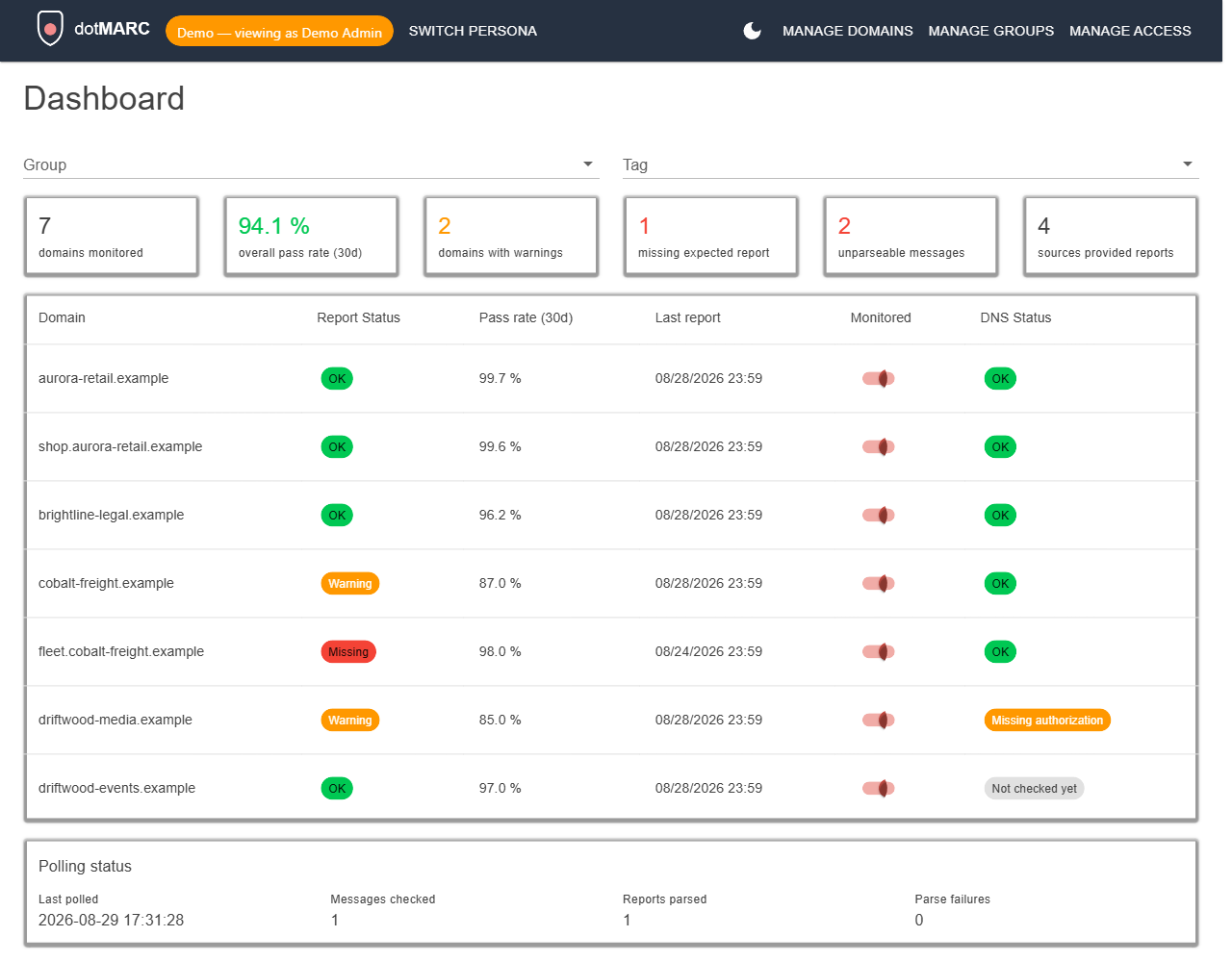
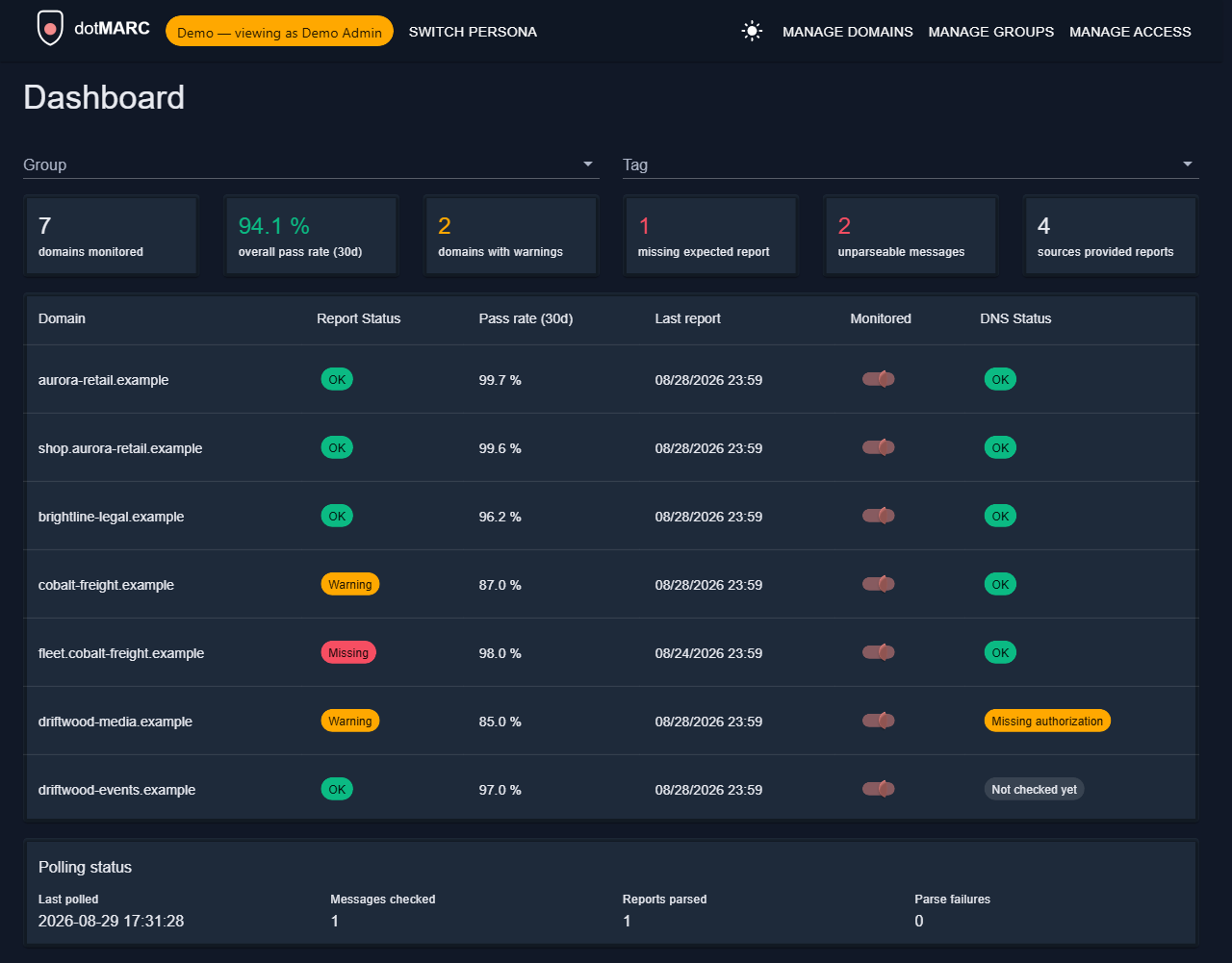
<img src="https://dotmarc.app/img/screenshots/dashboard-admin.png" alt="dotMARC dashboard showing pass/fail rates, DNS status, and polling status across monitored domains" class="themedComponent_mlkZ themedComponent--light_NVdE"><img src="https://dotmarc.app/img/screenshots/dashboard-admin-dark.png" alt="dotMARC dashboard showing pass/fail rates, DNS status, and polling status across monitored domains" class="themedComponent_mlkZ themedComponent--dark_xIcU">
<h2 class="anchor anchorTargetStickyNavbar_Vzrq" id="whats-in-this-release">What's in this release<a href="https://dotmarc.app/releases-updates/v0-1-0/#whats-in-this-release" class="hash-link" aria-label="Direct link to What's in this release" title="Direct link to What's in this release" translate="no">​</a></h2>
<ul>
<li class=""><strong>One mailbox, every domain</strong>: automatic polling and parsing of DMARC aggregate (RUA) reports,
deduplicated so a message is never processed twice, attributed back to the right domain from its
<code>From</code> header.</li>
<li class=""><strong>Multi-domain dashboard</strong>: pass/fail rates, source breakdowns, and DNS record status across
every monitored domain, filterable by Group and Tag.</li>
<li class=""><strong>DNS status checks</strong>: live DNS lookups confirm each monitored domain's DMARC record is actually
in place and pointed at the right mailbox, not just assumed.</li>
<li class=""><strong>Built for MSPs</strong>: fine-grained, per-domain access control. Grant an external client visibility
into just their own domains via a Group-scoped Viewer role, not an all-or-nothing login.</li>
<li class=""><strong>Self-hosted, your data</strong>: runs on your own infrastructure via Docker Compose or the included
Azure Container Apps Bicep template, backed by PostgreSQL. Report data never leaves your
environment.</li>
</ul>
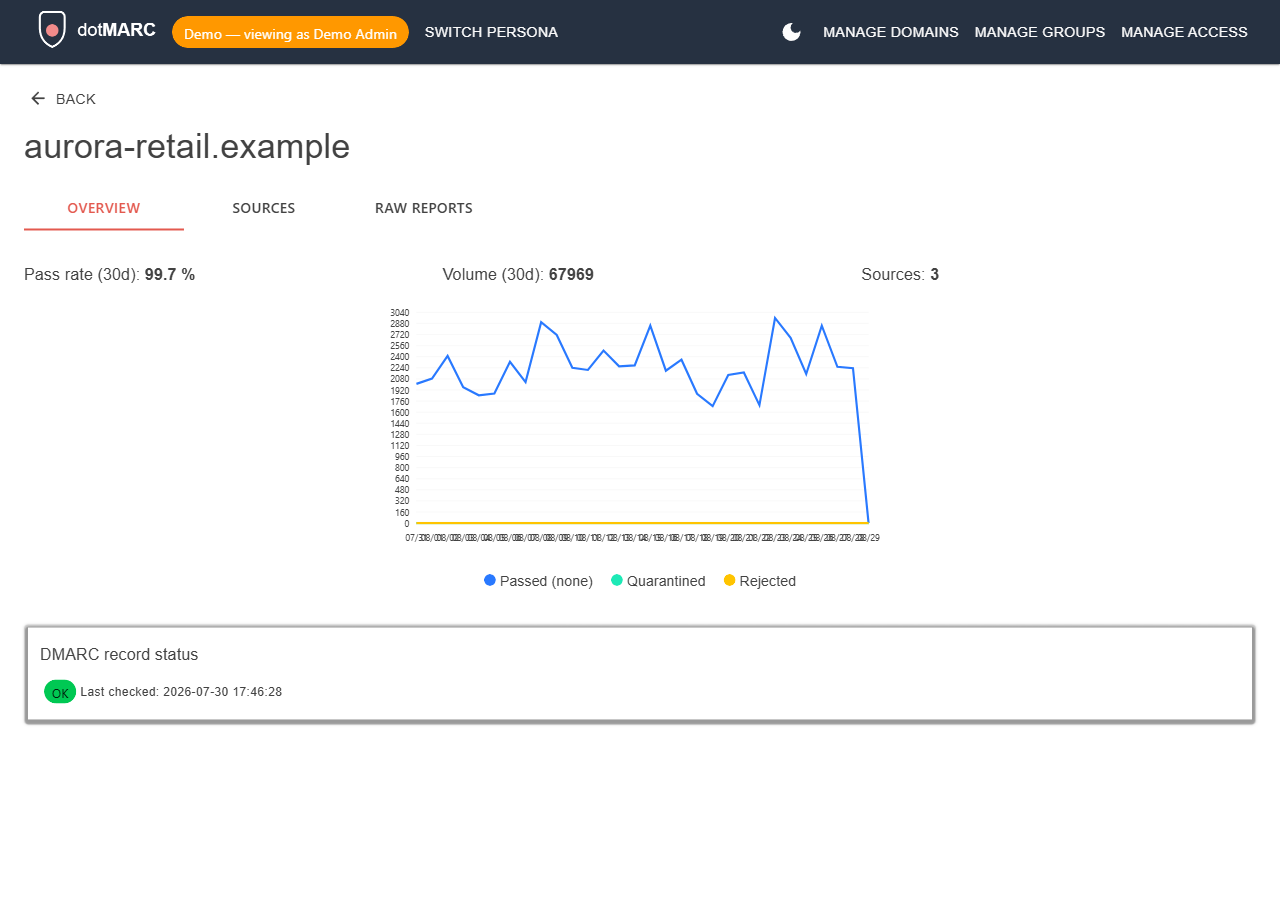
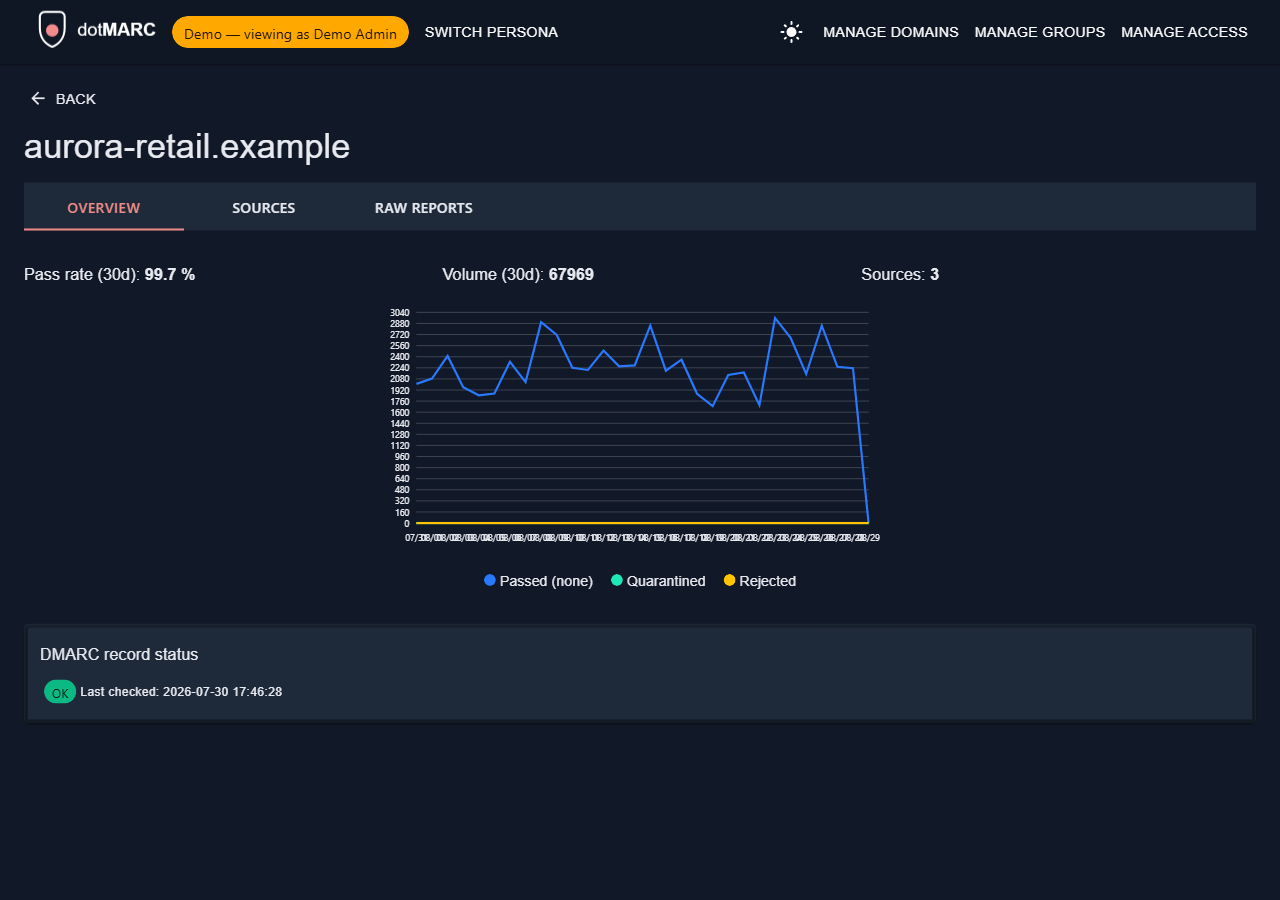
<img src="https://dotmarc.app/img/screenshots/domain-detail.png" alt="dotMARC domain detail page showing source IPs, SPF/DKIM results, and disposition" class="themedComponent_mlkZ themedComponent--light_NVdE"><img src="https://dotmarc.app/img/screenshots/domain-detail-dark.png" alt="dotMARC domain detail page showing source IPs, SPF/DKIM results, and disposition" class="themedComponent_mlkZ themedComponent--dark_xIcU">
<h2 class="anchor anchorTargetStickyNavbar_Vzrq" id="getting-started">Getting started<a href="https://dotmarc.app/releases-updates/v0-1-0/#getting-started" class="hash-link" aria-label="Direct link to Getting started" title="Direct link to Getting started" translate="no">​</a></h2>
<ul>
<li class=""><a class="" href="https://dotmarc.app/docs/getting-started/">Read the docs</a> to set up the two Entra app registrations dotMARC needs
and run it with Docker Compose.</li>
<li class=""><a href="https://github.com/homotechsual/dotMARC" target="_blank" rel="noopener noreferrer" class="">View the source on GitHub</a>: dotMARC is open source.</li>
</ul>
<p>More to come. Check back here for release notes as new versions ship.</p>]]></content>
        <author>
            <name>Mikey O'Toole</name>
            <uri>https://homotechsual.dev</uri>
        </author>
        <category label="Release" term="Release"/>
    </entry>
    <entry>
        <title type="html"><![CDATA[Welcome to the dotMARC blog]]></title>
        <id>https://dotmarc.app/releases-updates/welcome/</id>
        <link href="https://dotmarc.app/releases-updates/welcome/"/>
        <updated>2026-08-27T00:00:00.000Z</updated>
        <summary type="html"><![CDATA[This is where dotMARC release notes and announcements will show up. Nothing to report yet check back after the next release.]]></summary>
        <content type="html"><![CDATA[<p>This is where dotMARC release notes and announcements will show up. Nothing to report yet check back after the next release.</p>]]></content>
    </entry>
</feed>